Why Your Video Meetings Keep Freezing And Why It's Not Your Internet
WebMeet® Solutions
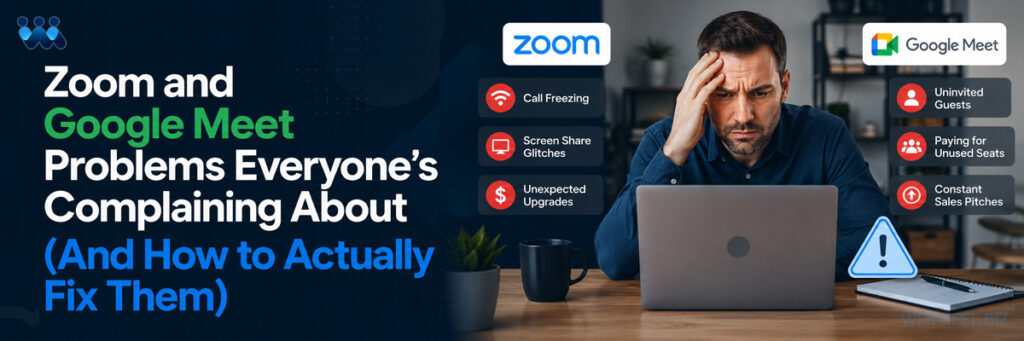
If you’ve spent any time in Zoom support forums or review sites lately, one complaint shows up more than any other: meetings that drop mid-meeting, video that freezes or lags, and the dreaded “Connecting” spinner that never resolves. Users report cycling through the same troubleshooting checklist every time — restart the router, close background tabs, switch from Wi-Fi to mobile data, disable the VPN — often for a connection that was perfectly stable a moment before they opened the app.
The frustrating part is that this isn’t usually a “your internet is bad” problem. It’s an architecture problem, and it’s one that repeats itself across organizations regardless of how much they’ve invested in networking infrastructure. IT teams report spending real budget on bandwidth upgrades, only to see the same freezing and dropped-connection complaints resurface a few weeks later, because the bottleneck was never actually the pipe — it was what’s competing for resources on the other end of it.
The Pattern Behind the Complaints
What makes this issue particularly hard to diagnose is its inconsistency. A meeting will run smoothly for twenty minutes and then freeze without warning. One participant in the meeting reports a flawless connection while another, on the same network, is stuck buffering. Support tickets often close without resolution because by the time IT investigates, the symptom has already disappeared — until the next meeting, when it happens again to someone else. That inconsistency is itself a clue: if the problem were purely about internet bandwidth, it would show up predictably. Instead, it tracks much more closely with what else is running on each individual machine at the moment the meeting happens.
Why It Happens
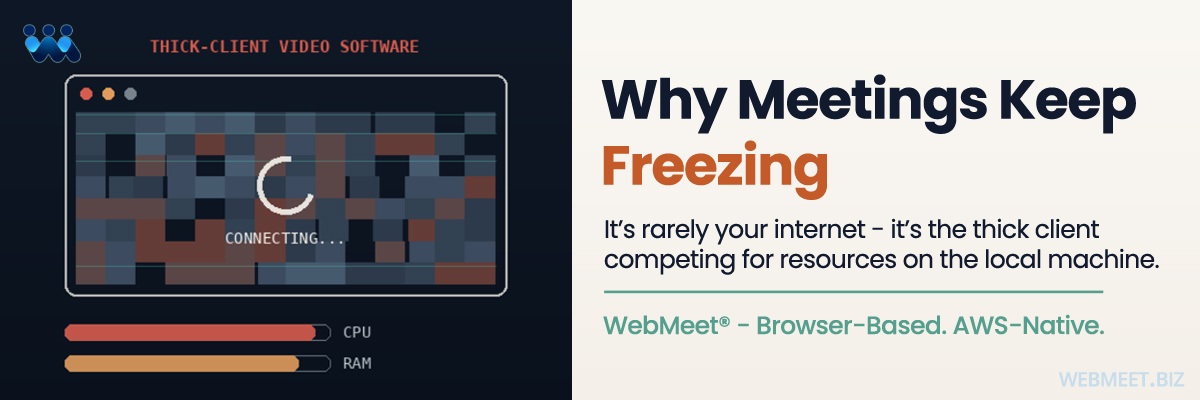
Zoom’s desktop client is a heavyweight local application. It renders video, handles audio processing, manages screen capture, and runs background services all on the end user’s machine — competing for CPU, memory, and network resources with everything else running on that laptop. When any one of those local resources gets strained (an antivirus scan kicking off in the background, a Windows update downloading silently, a dozen open Chrome tabs, a second monitor rendering a dashboard), the meeting quality suffers, even though the actual internet connection is fine.
Add in driver conflicts, permission layers, and inconsistent client versions across a distributed team — some employees on the latest release, others several versions behind because an update was deferred — and you get exactly the pattern people report: it works fine on one machine and falls apart on another, for no obvious reason. Diagnosing that kind of problem requires understanding the exact state of a specific device at a specific moment, which is rarely feasible for an IT team supporting dozens or hundreds of users.
How WebMeet® Solves This
WebMeet® was built browser-based and AWS-native from the ground up — not as a downloadable client with a browser fallback bolted on as an afterthought, but as a platform where the heavy lifting happens in the cloud, not on the participant’s machine.
That distinction matters more than it sounds. Because WebMeet® doesn’t require a thick client competing for local resources, the participant’s device isn’t doing the work of encoding, decoding, and managing the session — the AWS infrastructure is. That removes the single biggest variable behind the freeze, lag, drop pattern: it’s no longer dependent on whatever else happens to be running on someone’s laptop that day, whether that’s a background update, a resource-hungry app, or simply an older machine near the end of its usable life.
In practical terms, this also means the platform’s reliability doesn’t degrade unevenly across an organization. A newer laptop and an older one connecting to the same WebMeet® session aren’t competing with meaningfully different local resource ceilings, because the session itself isn’t asking much of either device. The consistency that results is exactly what’s missing from the complaints piling up around thick-client platforms — where reliability is really a function of whichever machine happens to be joining, not the platform itself.
What This Means for Licensees
For a licensee running client-facing meetings, sales demos, or training sessions at scale, that reliability isn’t a nice-to-have — it’s the difference between a platform people trust and one they quietly start avoiding, which is exactly the pattern now showing up in Zoom’s own user reviews. A dropped connection during a demo doesn’t just interrupt the meeting; it plants a seed of doubt about the platform in front of the exact audience a licensee is trying to win over. Removing that risk at the architecture level, rather than trying to manage it after the fact with troubleshooting guides and IT support tickets, is a fundamentally stronger position to sell from.
The Bottom Line
Unstable meetings erode credibility fast, especially in front of clients or prospects. WebMeet’s architecture was designed to take the local machine out of the equation entirely, so the reliability of your meetings doesn’t depend on the reliability of everyone’s individual laptop — it depends on infrastructure built specifically for that job.